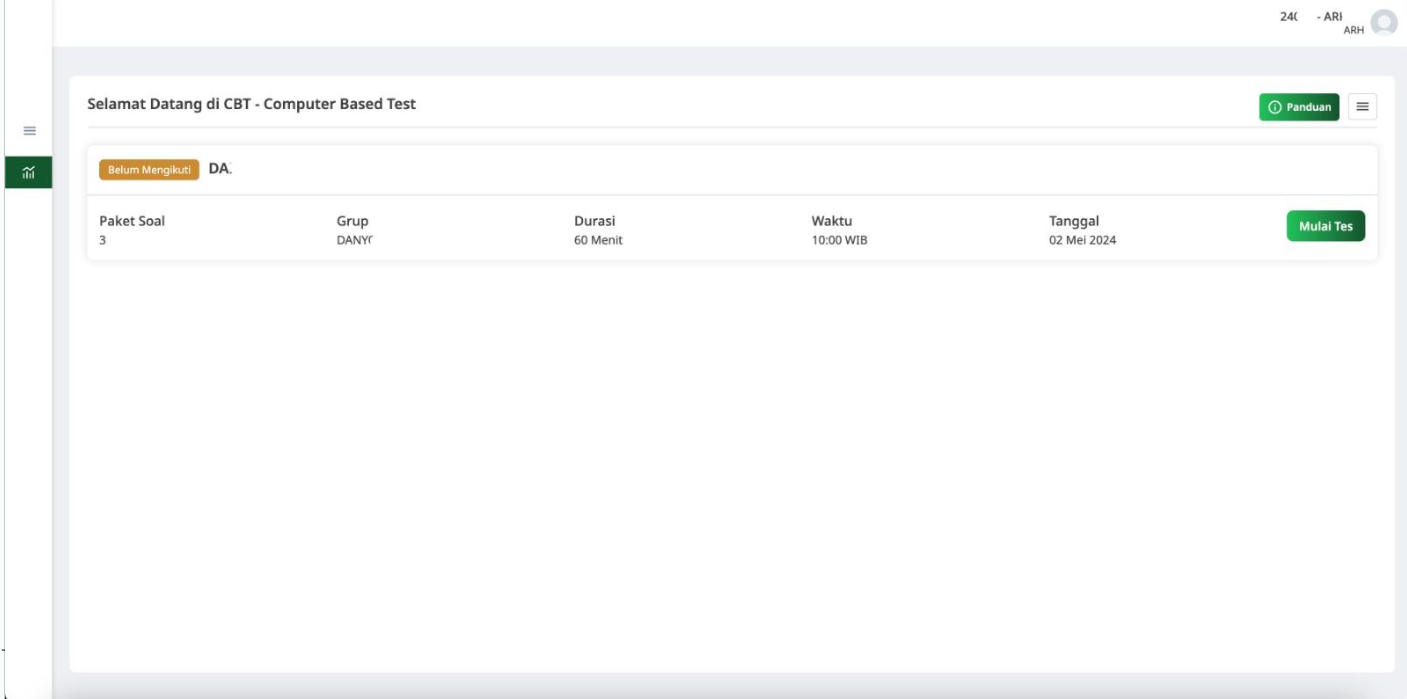
Question Bank
The Question Bank feature is the foundation of the app, allowing instructors to store an unlimited number of questions. This feature is designed to be highly flexible, enabling instructors to add not only the correct answers but also multiple answer choices for each question. Instructors can easily organize questions by categories or subjects, making it simple to find the right question when needed. This centralized system eliminates the need for manually searching through paper-based question sets, saving time and reducing errors.
The Question Bank also supports a wide variety of question formats, from multiple-choice and true/false to short answer or even essay-type questions. Each question can be assigned difficulty levels, ensuring that instructors can cater to different learning needs and academic levels. The system also keeps track of which questions have been used in past tests, preventing repetition and maintaining variety in future exams.
Having all questions stored digitally also allows for easy updates and edits. Instructors can modify questions or add new ones at any time, ensuring that the content remains fresh and relevant. This flexibility empowers instructors to continually refine their question sets based on feedback, student performance, and evolving course materials.
Manage Test
The Manage Test feature makes test creation a seamless and personalized process. Instructors can create tests by simply selecting questions from the Question Bank. With a few clicks, they can choose which questions to include, determine the difficulty level for each, and set a specific time limit for the exam. The ability to mix and match questions based on difficulty and topic ensures that each test is unique and tailored to the participant’s learning level.
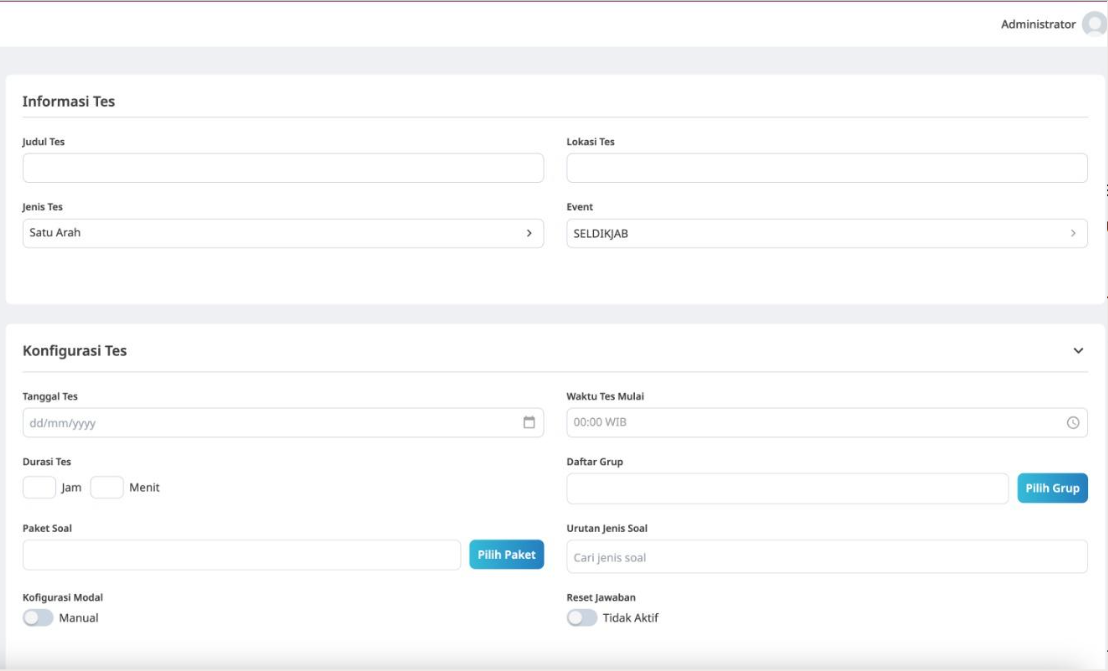
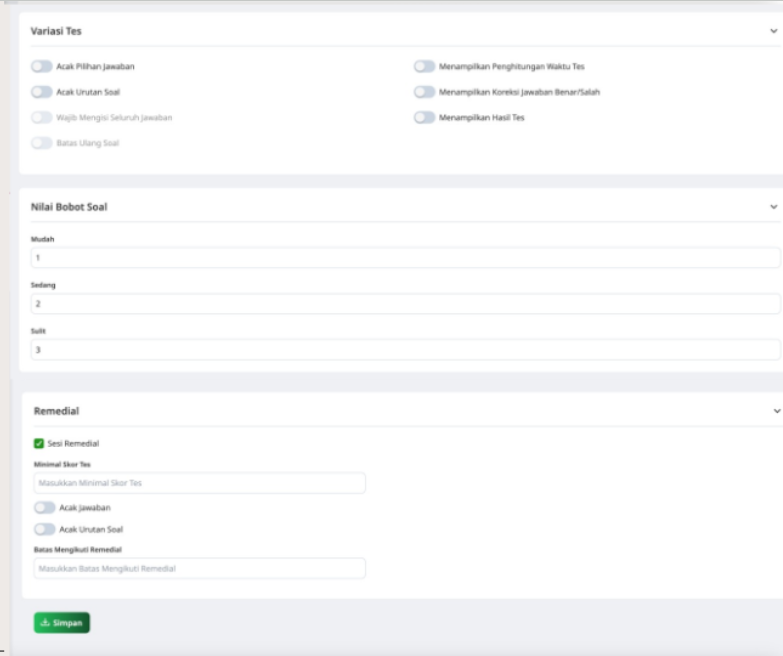
Additionally, this feature incorporates a shuffle option for answers, which helps prevent cheating by ensuring that no two students see the same answer order. It also gives instructors full control over the structure of the test, allowing them to decide on the number of questions, scoring weights, and even the inclusion of special instructions. This level of customization ensures that tests are both fair and challenging, enhancing the overall assessment experience.
The system also includes a dynamic scoring model that adjusts based on the difficulty of the questions. More challenging questions are rewarded with higher points, giving students the incentive to engage with harder material. This feature not only makes tests more balanced but also provides a more accurate measure of a student’s understanding and abilities.
Dashboard Monitoring
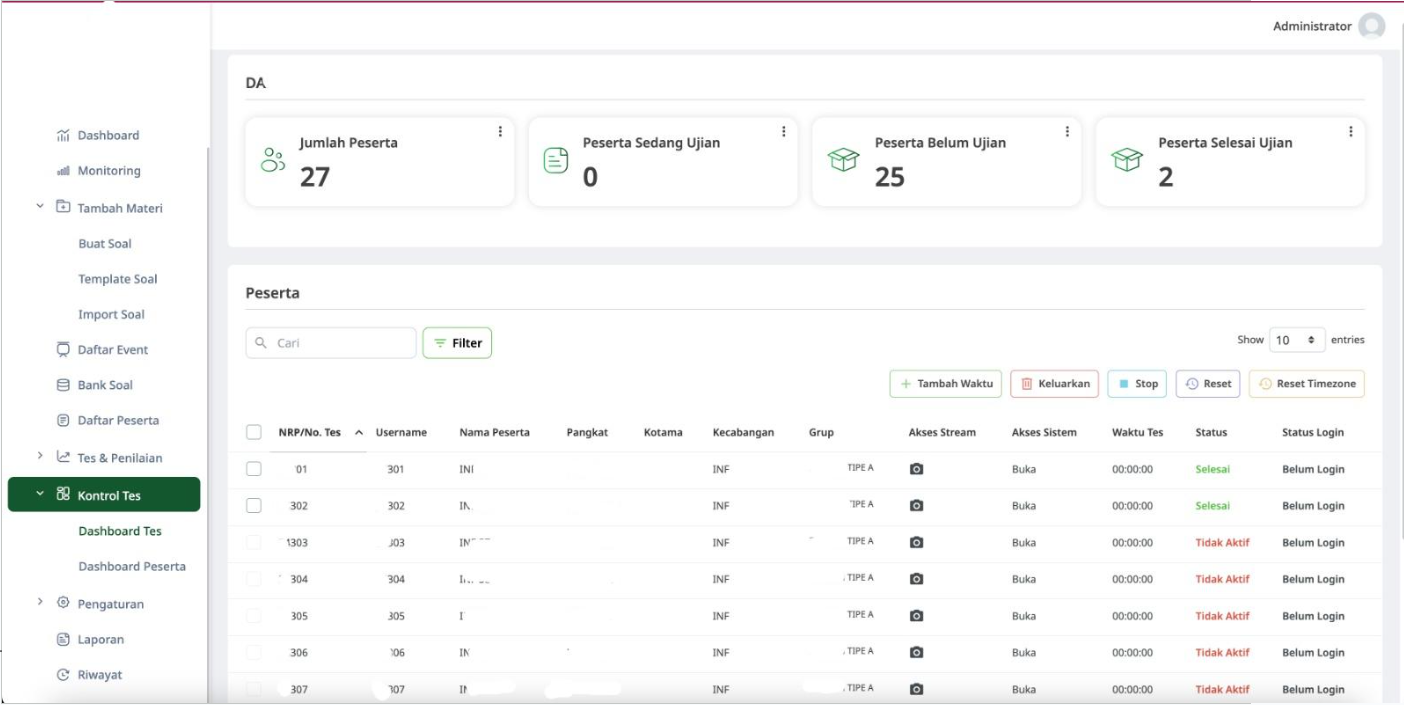
The Dashboard Monitoring feature adds a layer of real-time oversight to the testing process. Instructors can track each participant’s progress during the test and monitor their activities via webcam. This feature is built using WebRTC, ensuring high-quality video streaming without the need for additional software or plugins. Instructors can quickly identify if a participant is having trouble or if any suspicious activity is occurring, maintaining a secure and controlled testing environment.
With the ability to view participants’ webcams, instructors can ensure that no cheating is taking place and that students are following the rules. This live monitoring feature helps reinforce the integrity of the testing process, providing instructors with the tools they need to take immediate action if needed. It also adds a layer of accountability for the students, knowing that their actions are being observed in real-time.
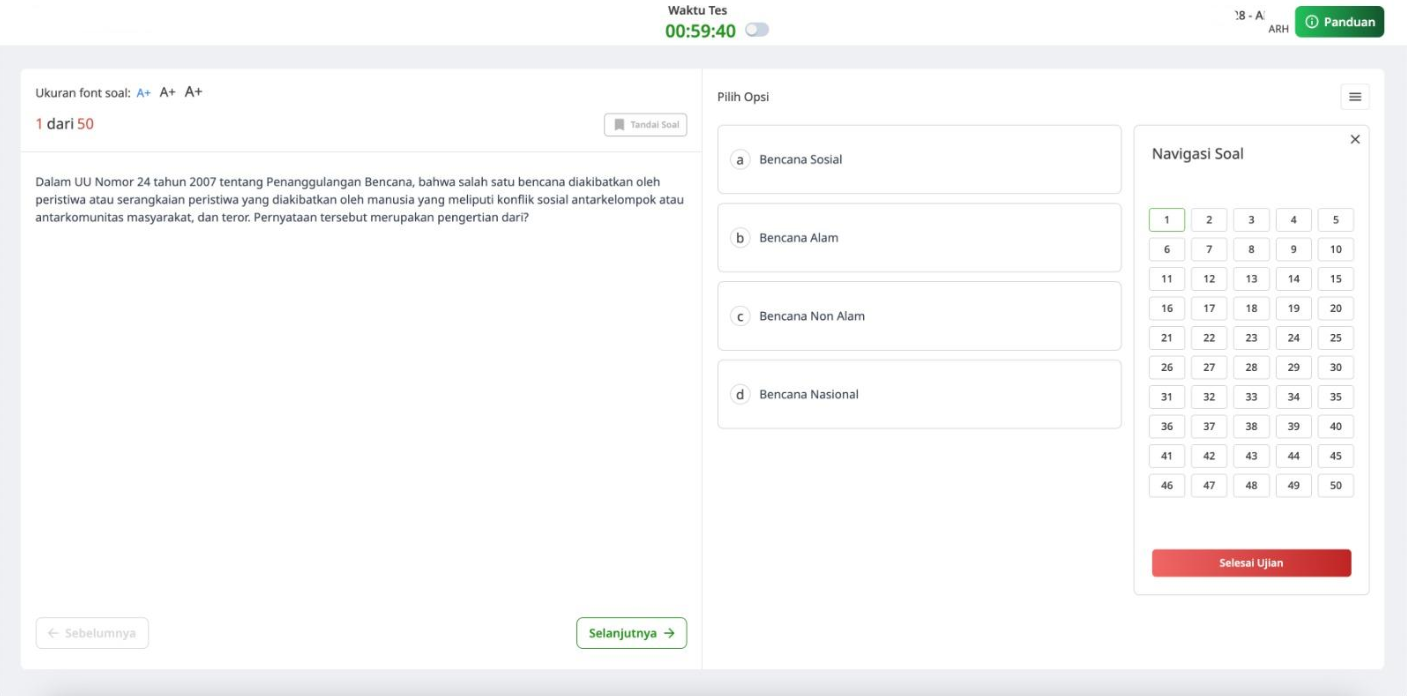
Student POV