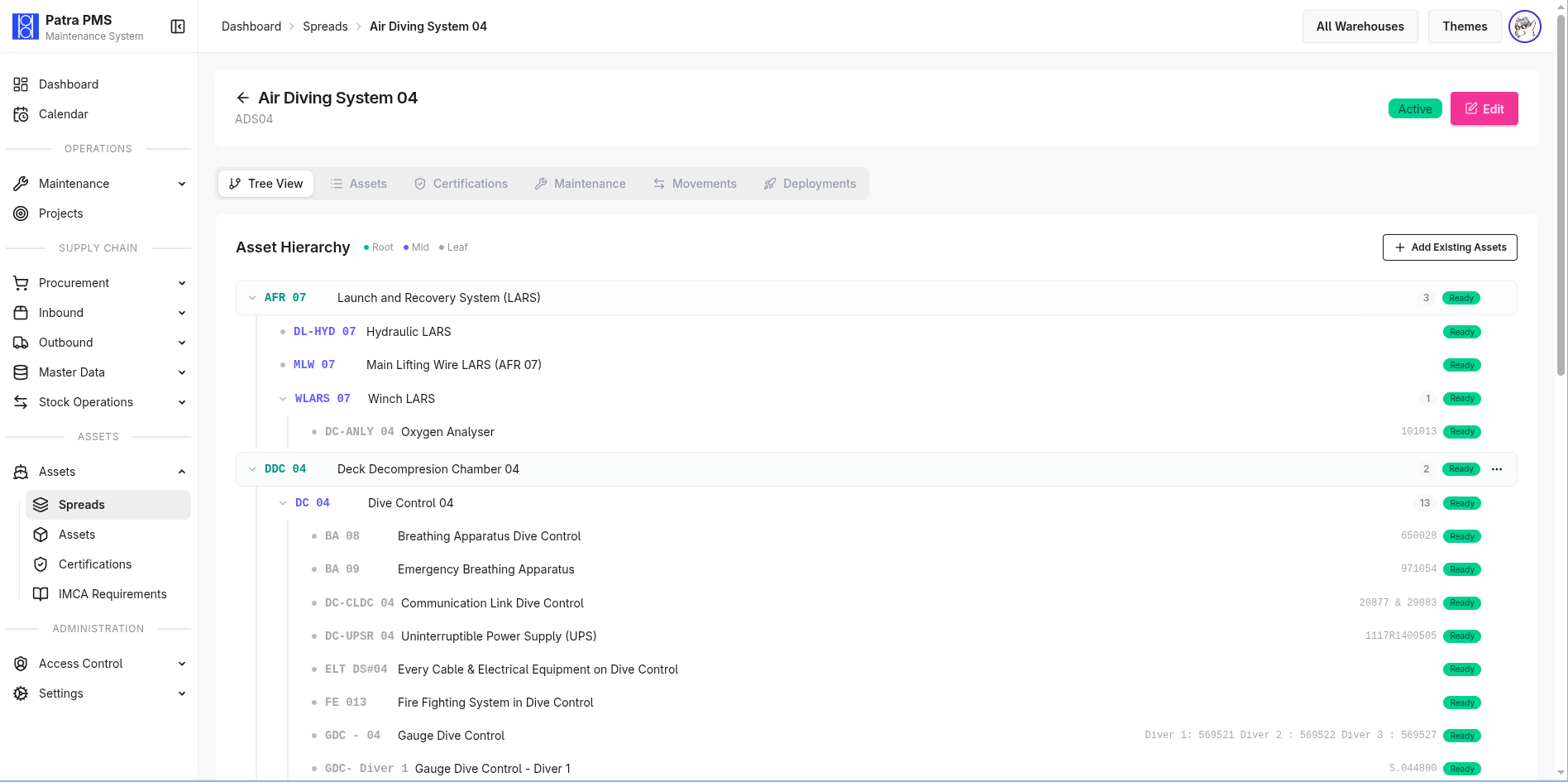
Dashboard & Analytics
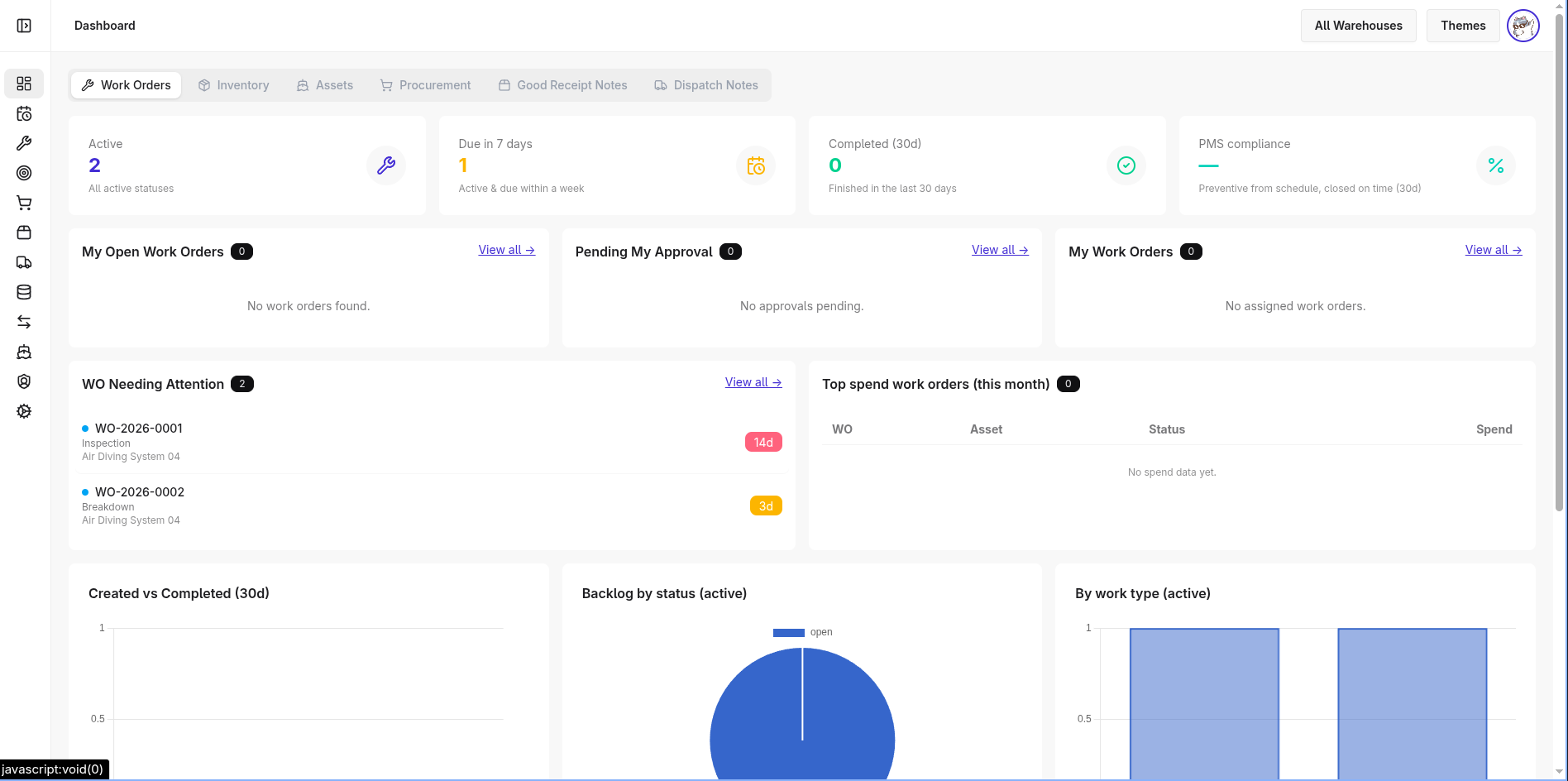
Six-panel dashboard gives operations and management a live snapshot across every domain: inventory health, asset status, active work orders, procurement pipeline, GRN receipts, and dispatch activity. Low-stock and out-of-stock alerts surface automatically so procurement can act before operations stall.
Asset Management
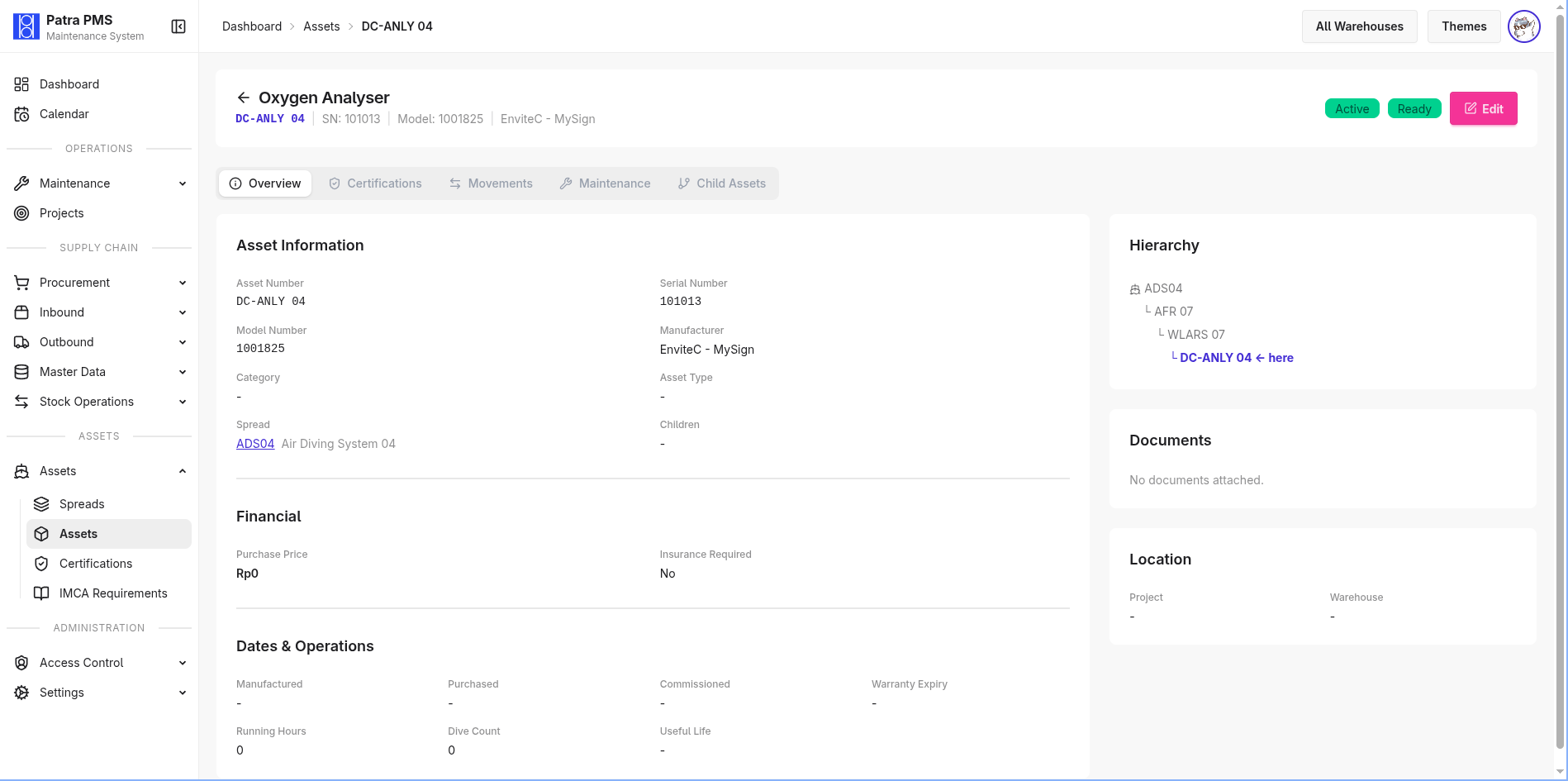
Central registry for all company equipment with hierarchical parent/child relationships — useful for spread compositions that group multiple assets into a deployable diving system. Each asset tracks its status (active, quarantine, disposed, lost), physical dimensions, insurance value, running hours, dive counts, and full audit history. File attachments support manuals, certificates, and pre/post-maintenance photos.
Spreads
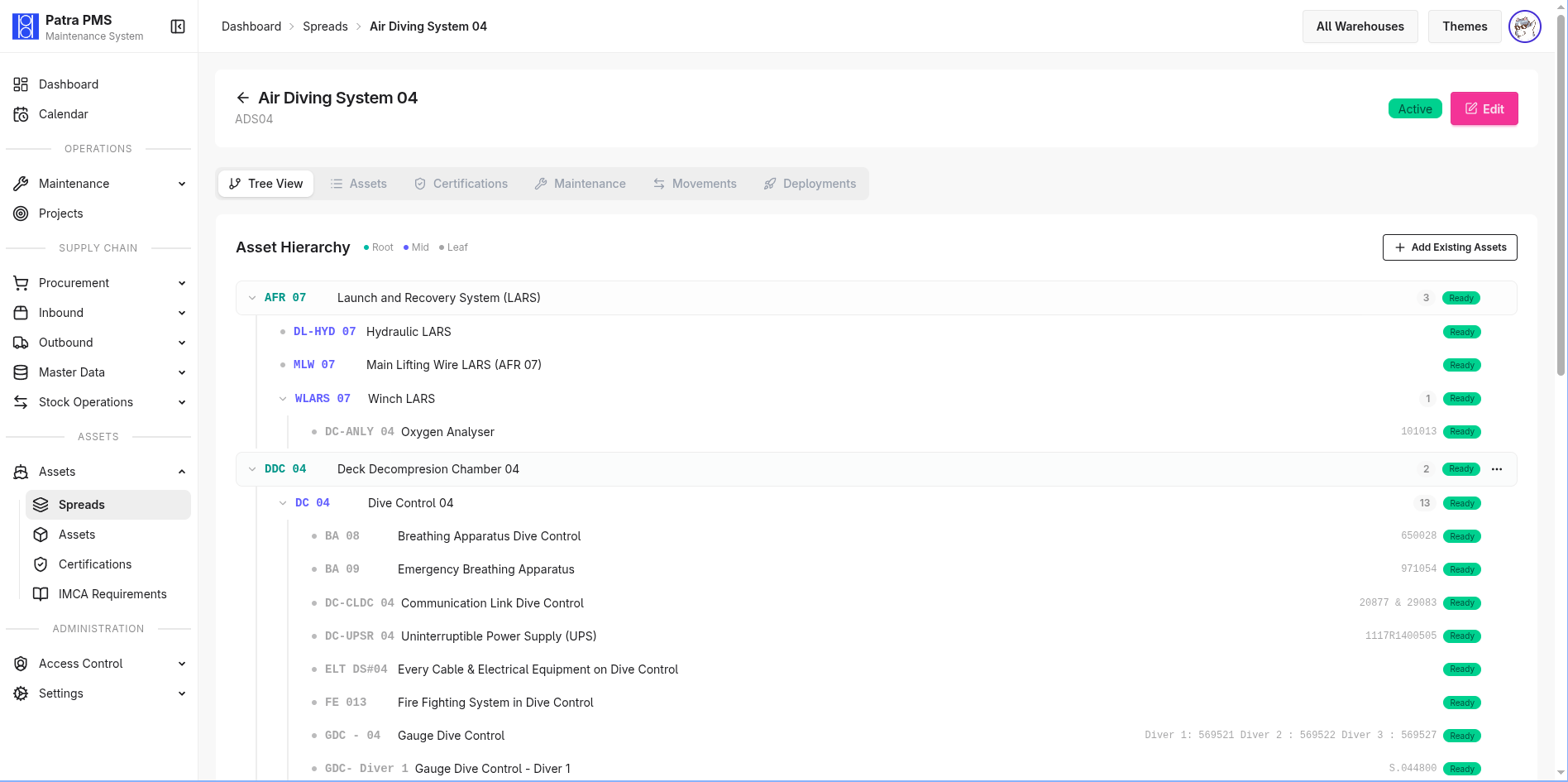
Spreads model deployable diving systems (air diving systems, ROV, DSVs) as named groups of assets. Operations can compose a spread from individual assets, track readiness, and dispatch the entire unit to a project warehouse in one action — keeping field deployments organized and auditable.
Maintenance Scheduling
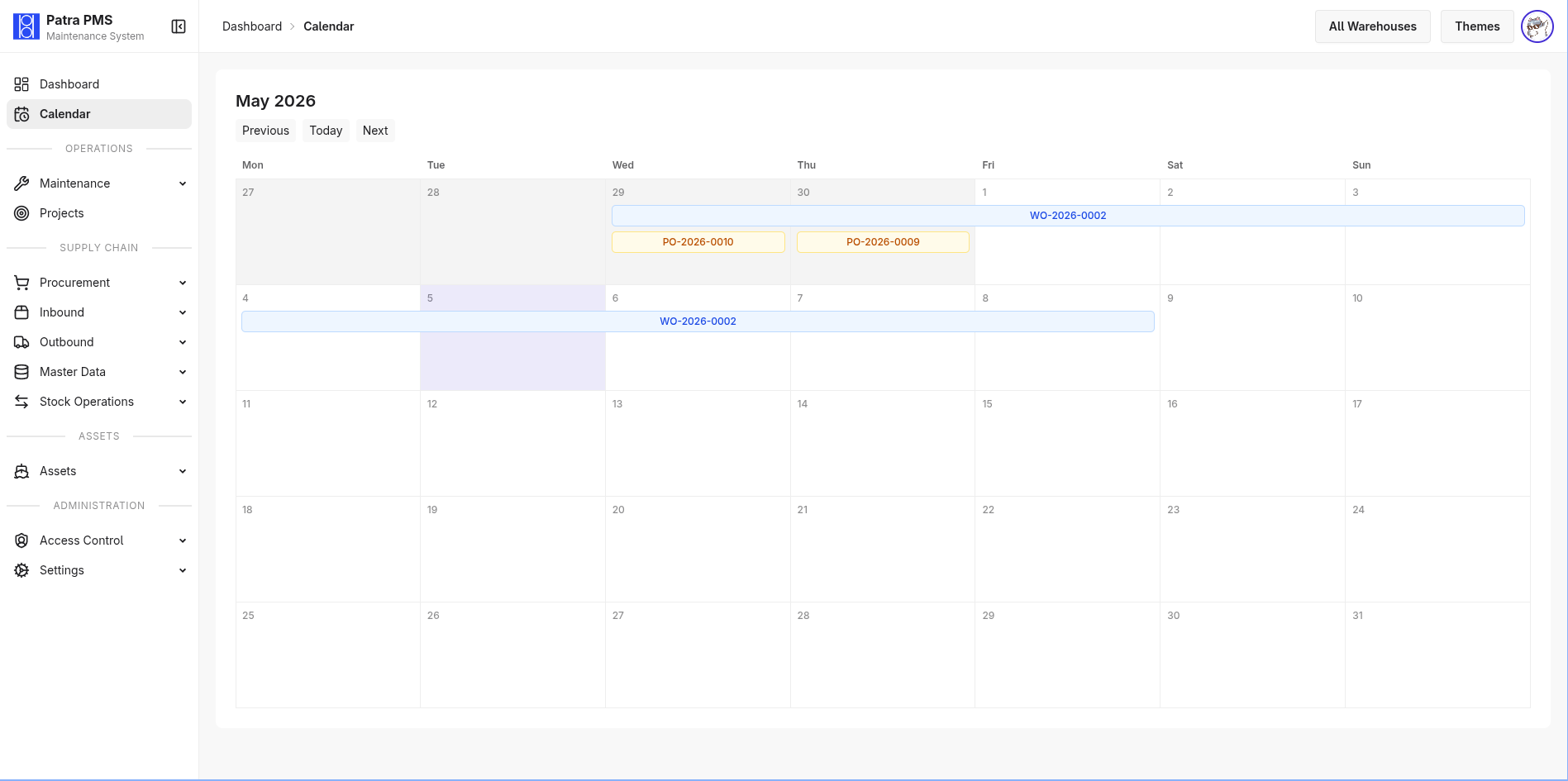
Preventive maintenance plans (PMS) define service intervals per asset — configurable in days, weeks, months, or years — with advance-notice windows so upcoming jobs appear in the calendar before they are due. A calendar view renders all scheduled maintenance across the fleet so planners can balance workload and avoid conflicts.
Work Orders & Checklist
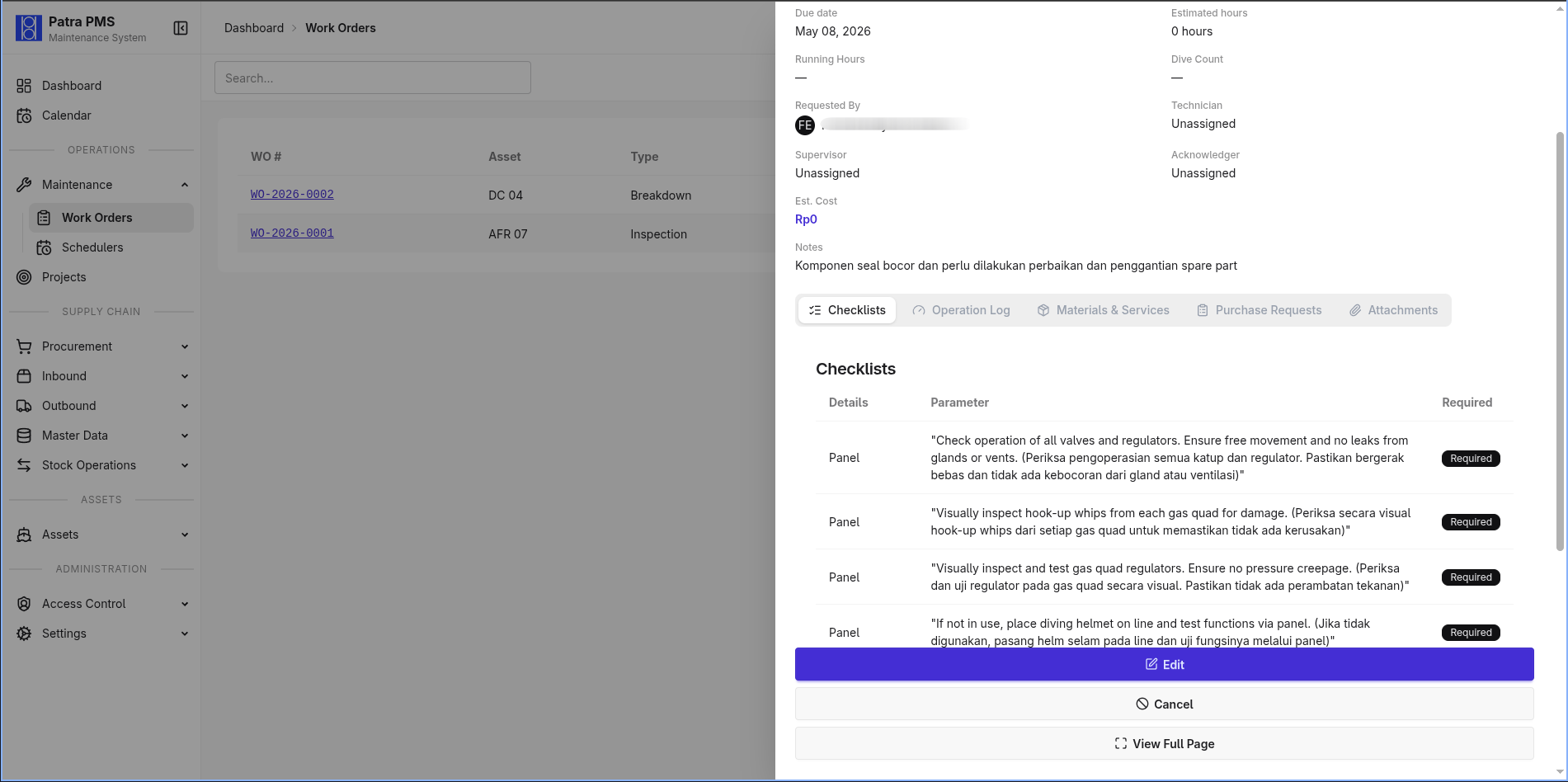
Full work order lifecycle from open → in progress → approval requested → completed (or rejected/cancelled). Each work order records the assigned technician and supervisor, links to a checklist, logs consumed spare parts with lot traceability, and accumulates total cost. Supervisors review and approve or reject via a streamlined approval interface. PDFs can be generated for sign-off and record keeping.
Checklist templates define reusable task lists for recurring maintenance types. When a work order is created, the relevant template is copied into an editable checklist where technicians mark each item as pending, started, completed, failed, or skipped — giving supervisors granular visibility into job execution.
Procurement — Purchase Requests
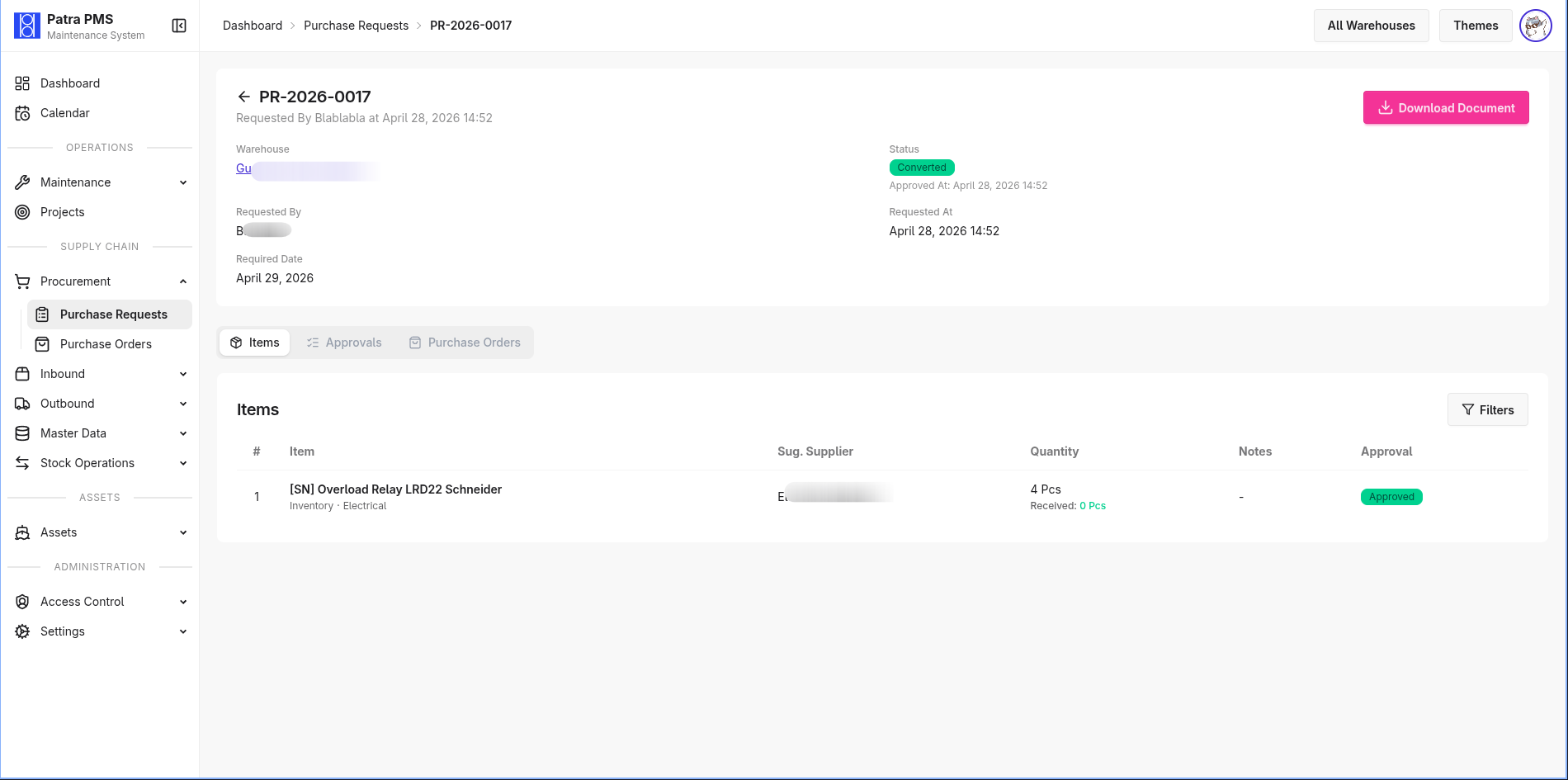
Procurement starts with a Purchase Request. Requestors add line items from the spare parts catalog, submit for approval, and the document routes through a configurable multi-step approval chain. Approvers can approve or reject at the document level or per line item. Partial approvals are supported — approved items proceed to PO while rejected items are held.
Procurement — Purchase Orders
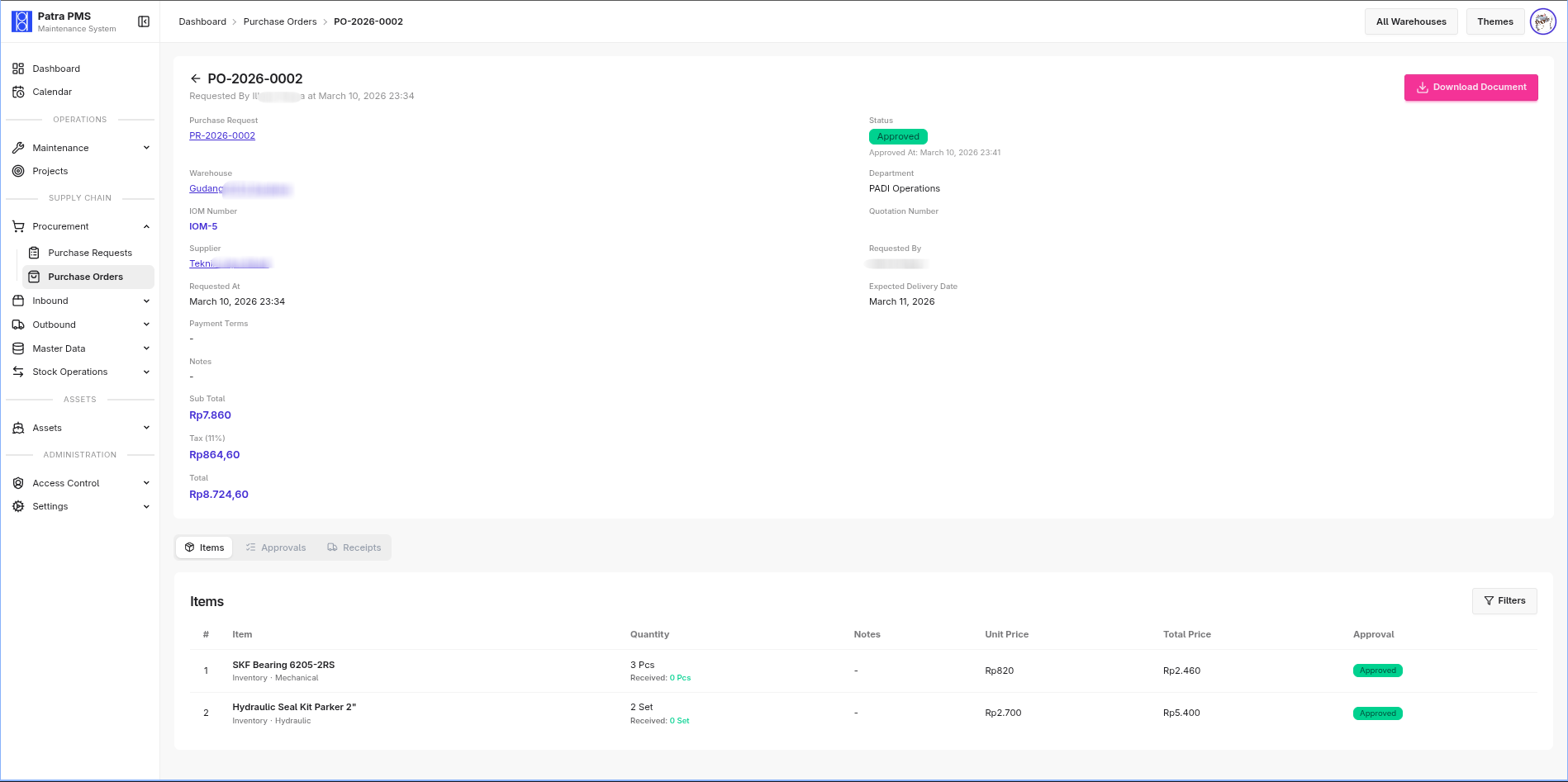
Approved PR items generate a Purchase Order against a supplier. POs carry line-item pricing, discounts, tax calculation, expected delivery dates, and delivery status. Bulk item approval is available for high-volume orders. PDF output is formatted for supplier submission.
Procurement — Good Receipt Notes (GRN)
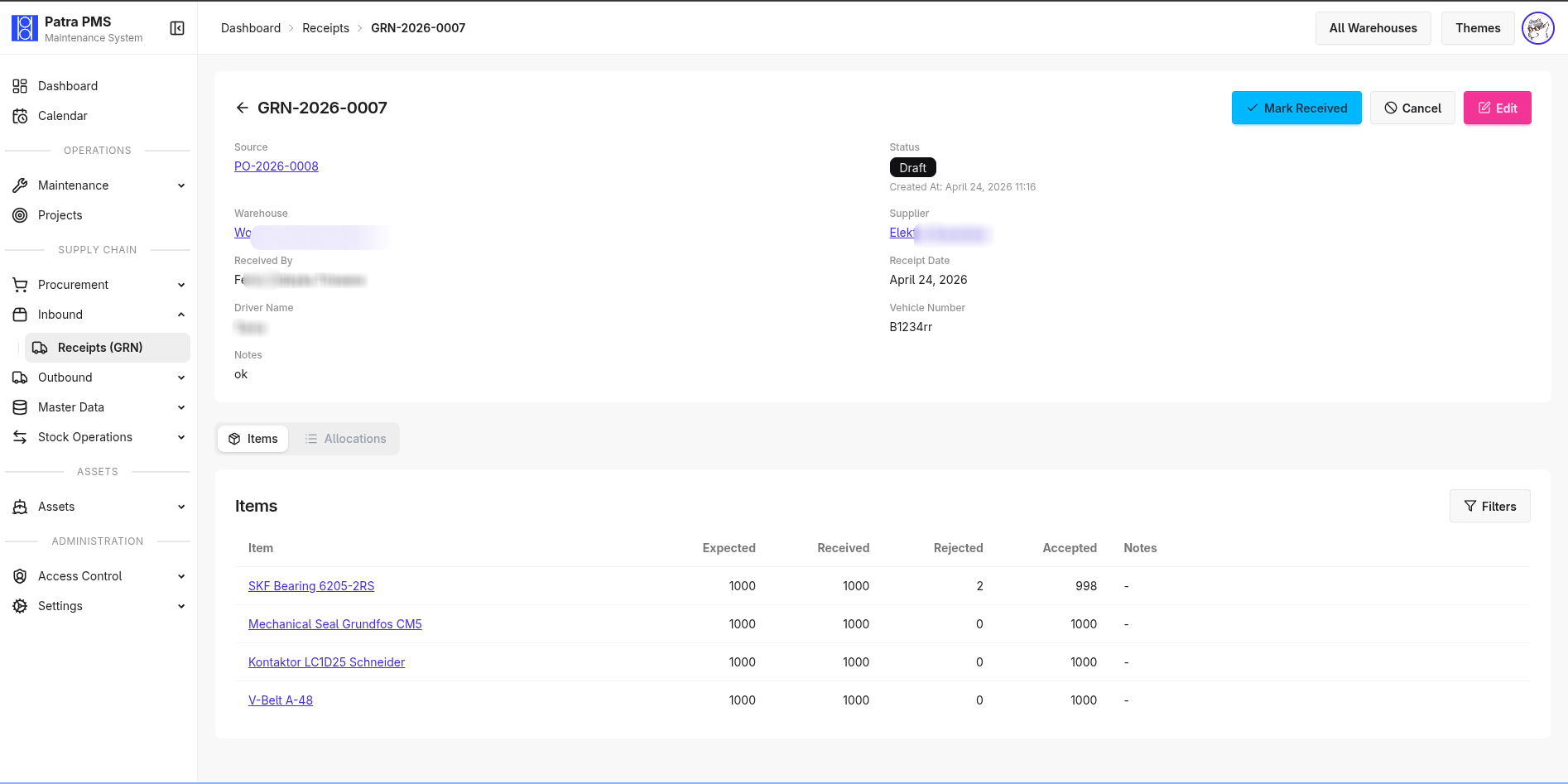
When goods arrive, a GRN records what was received against the PO. Each received line links to inventory lots for serial/batch traceability. Putaway completion updates on-hand stock automatically and logs the stock movement. GRNs can also be created from dispatch notes (inter-warehouse transfers) or as direct receipts without a prior PO.
Inventory Management
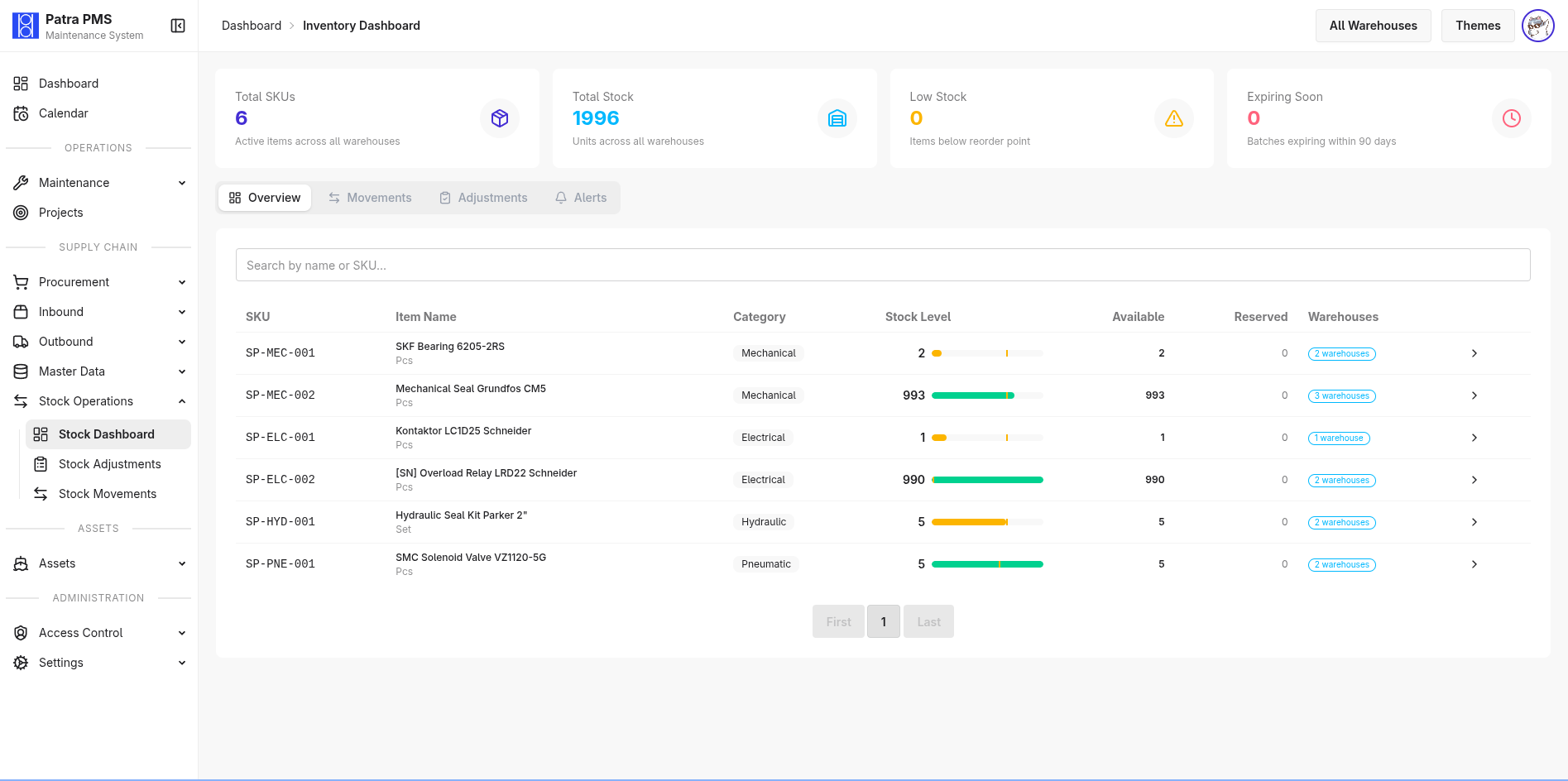
Spare parts catalog with SKU, category, manufacturer, unit of measure, reorder levels, and per-supplier pricing. Each warehouse maintains its own inventory record tracking on-hand, reserved, and available quantities with bin location. Stock status (normal / low / critical / out-of-stock) is computed automatically against configured min/max levels and surfaced on the dashboard.
Inventory Lots & Stock Movements
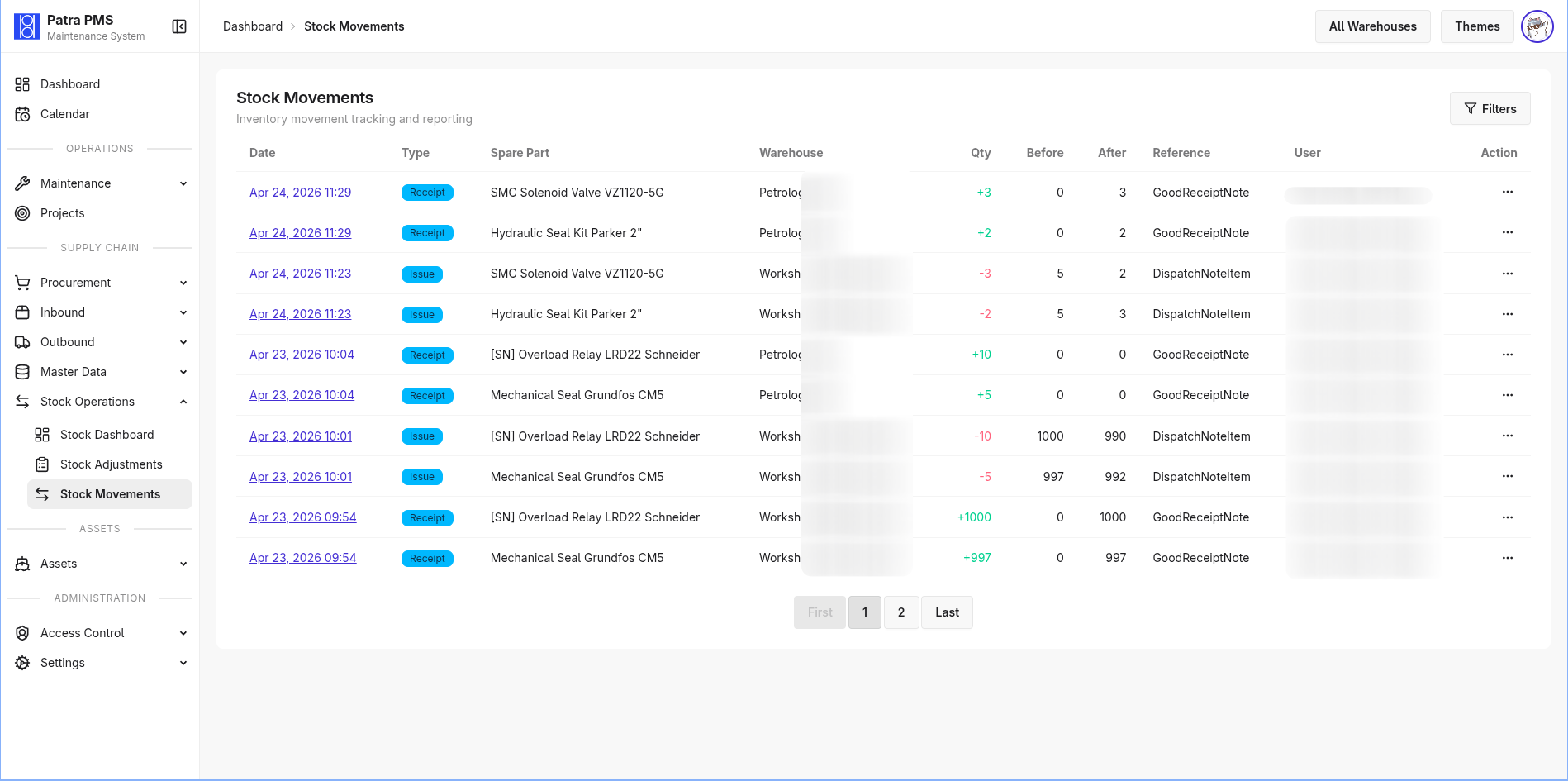
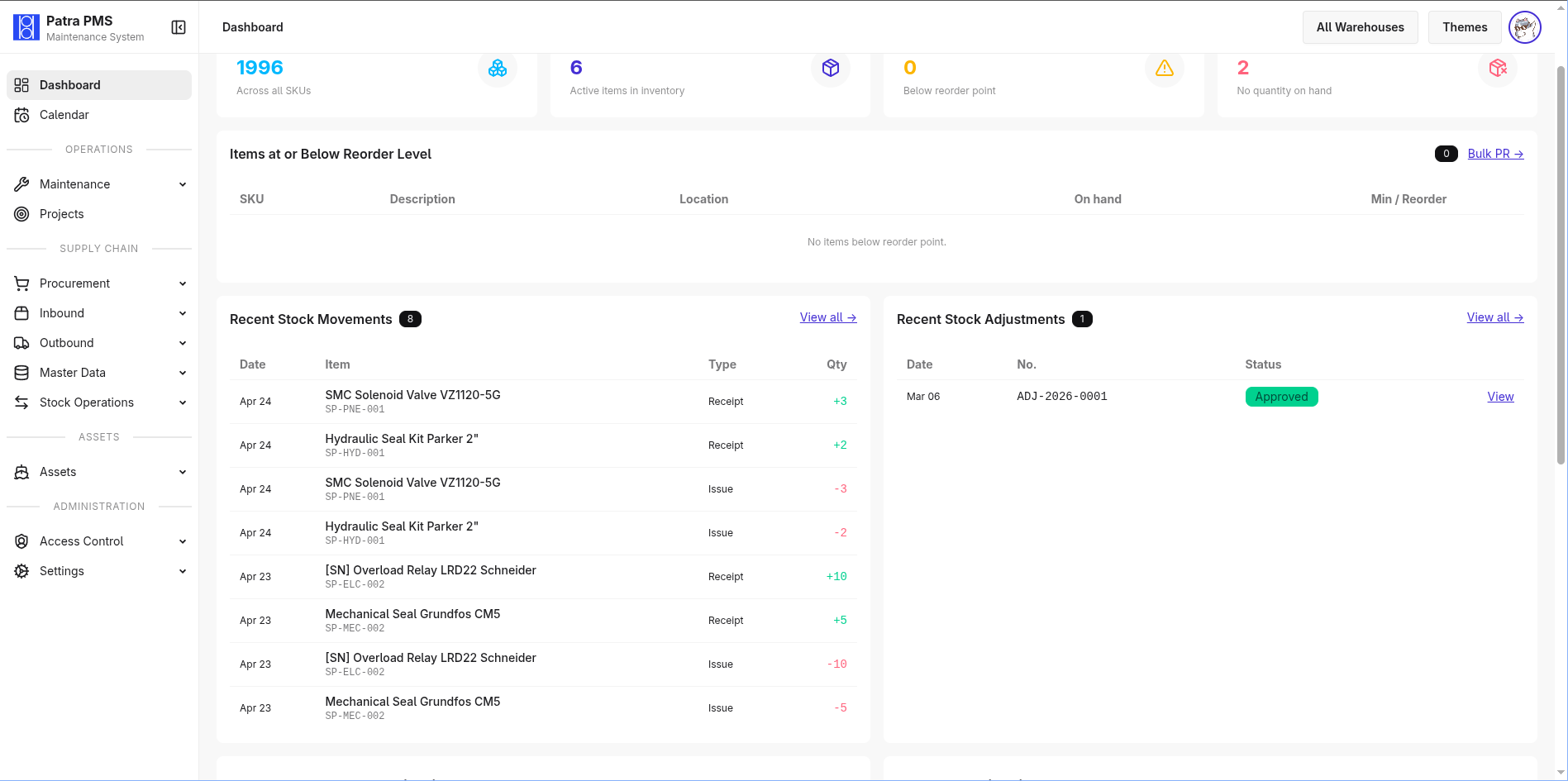
Every inventory transaction — receipt, consumption, adjustment, transfer — creates an immutable stock movement record. Lot tracking enables serial and batch traceability with expiry date management. Work order material consumption decrements the correct lot and records the link to the work order, giving a full chain of custody from procurement to use.
Stock Adjustments
Physical stock counts are reconciled through stock adjustments, which require approval before posting. Opening balance entries use the same workflow. All adjustments are versioned with paper trail so discrepancies can be investigated after the fact.
Dispatch Notes
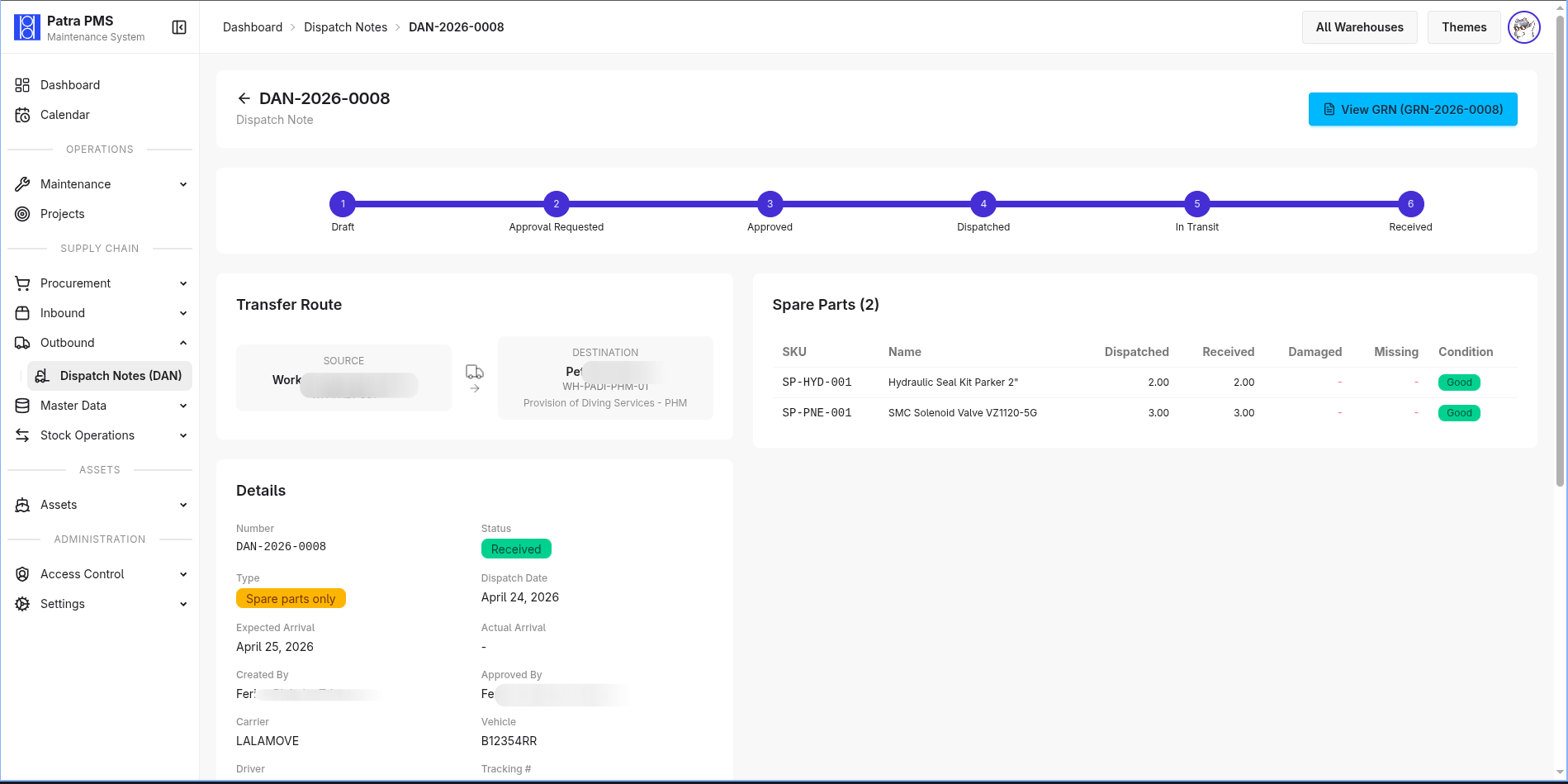
Dispatch notes move assets and spare parts between warehouses or to project sites. Each note records carrier details, dispatched items (with lot selection for parts), and progresses through in-transit → received status. Receipt confirmation triggers automatic inventory updates at the destination warehouse and logs the asset movement for the audit trail.
Approval Workflows
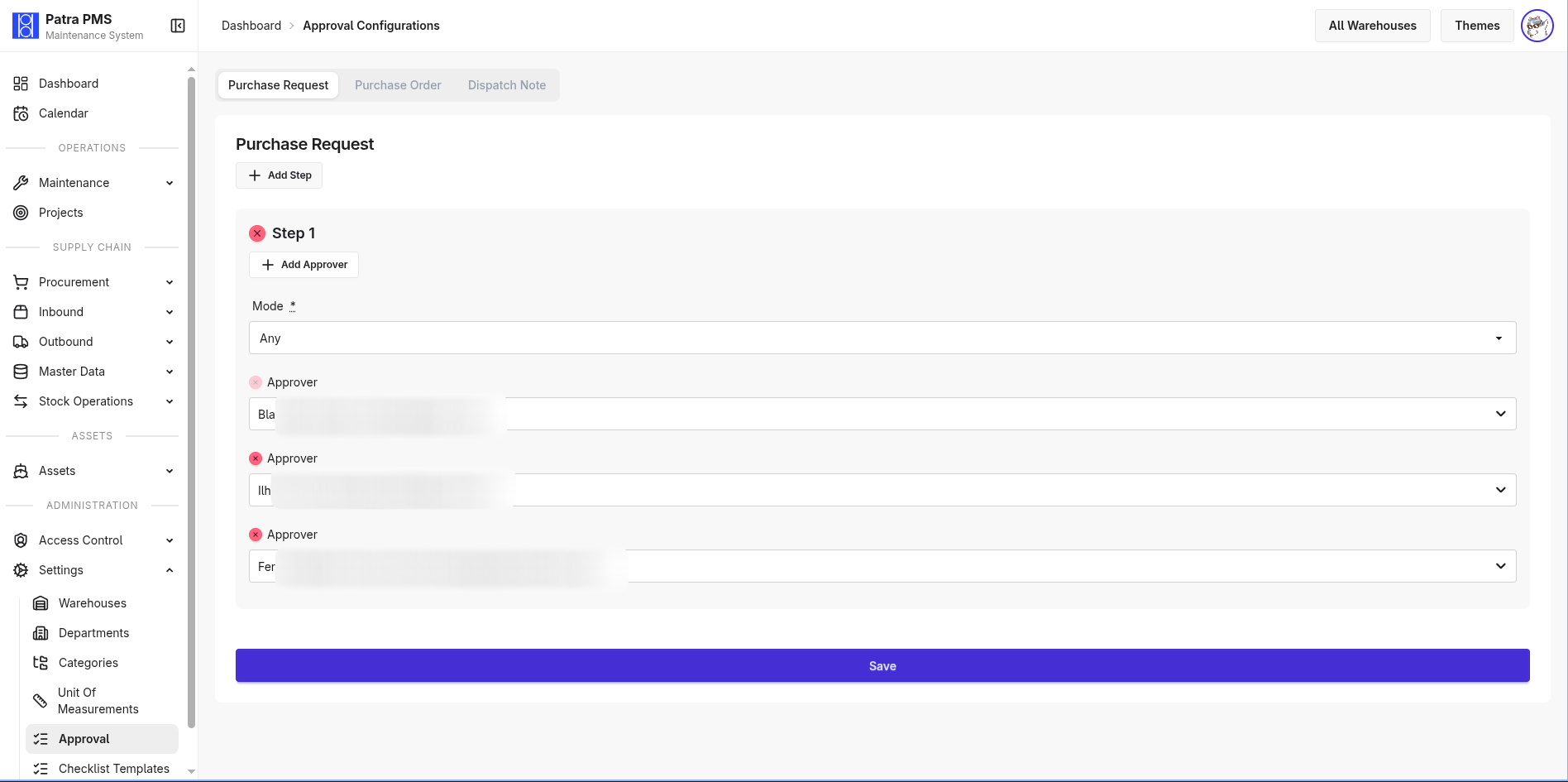
Approval chains are configurable per document type — PRs, POs, stock adjustments, and work orders each have independently configurable step sequences with designated approvers per step. Role-based routing means approval authority can follow organizational structure without code changes. Bulk approval speeds up high-volume review queues.
Supplier & Catalog Management
Supplier master records track vendor details and link to spare parts with per-supplier pricing. The spare parts catalog is shared across warehouses; inventory records are warehouse-scoped. Categories, units of measurement, and manufacturers are configurable by administrators.
Multi-Warehouse & Project Scoping
Every piece of inventory, every work order, and every procurement document is scoped to a warehouse. Users can be granted access to one or more warehouses; a persistent filter keeps context consistent across navigation. Projects associate with one or more warehouses, so field teams see only the stock and assets relevant to their site.
Role-Based Access Control
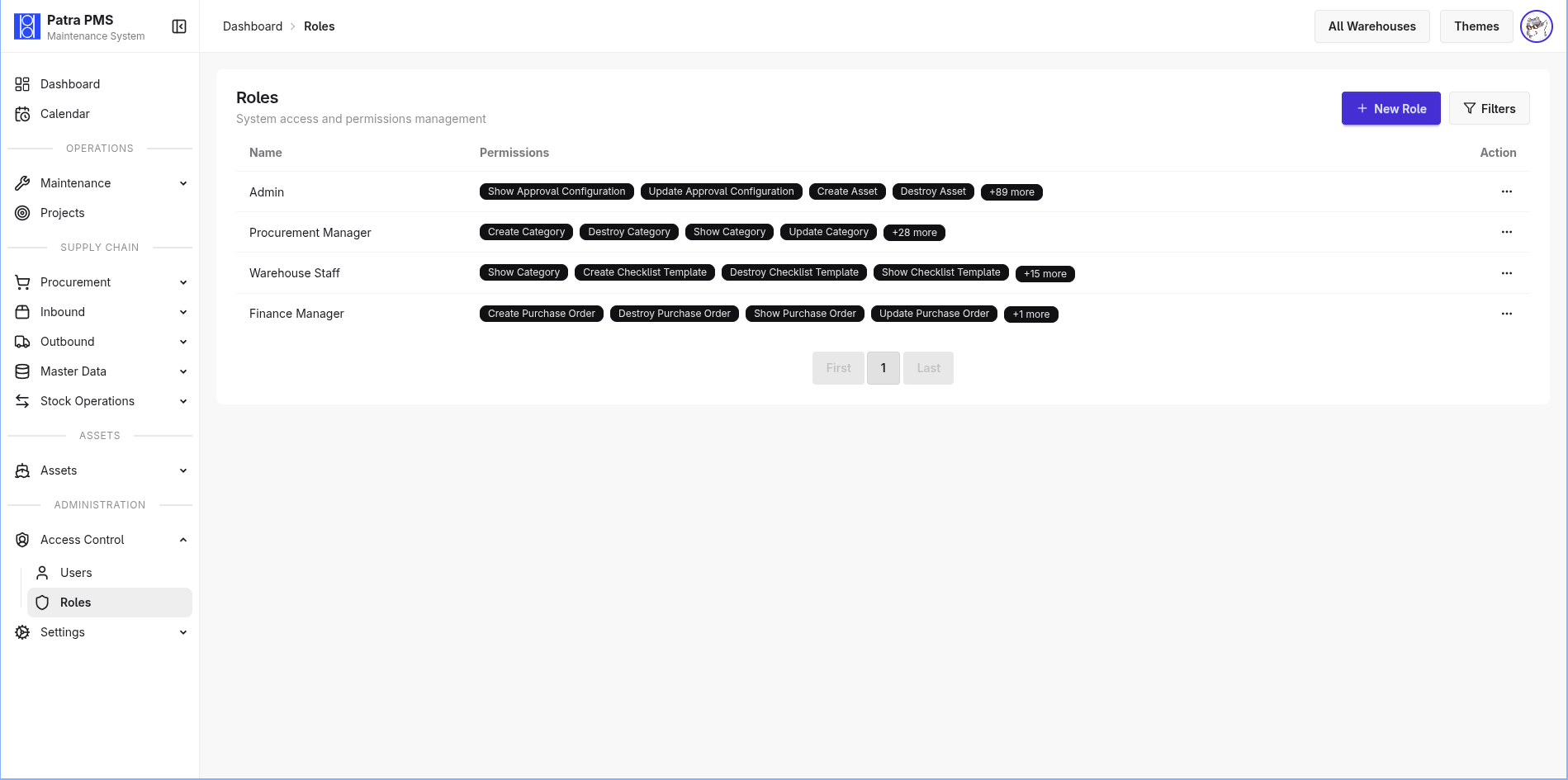
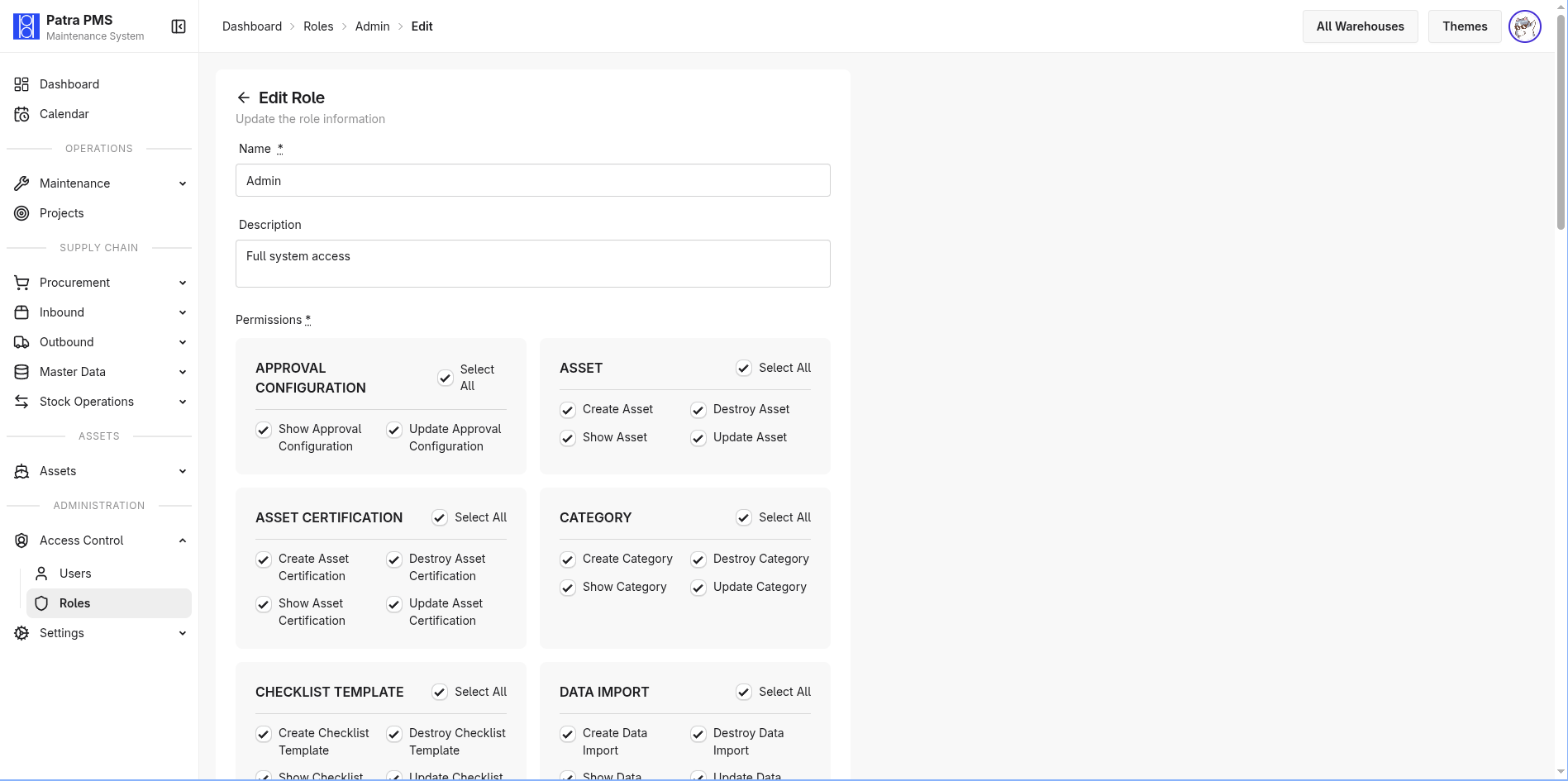
Users are assigned roles with a configurable permission matrix. Permissions gate access to create, view, approve, and manage documents across all modules — ensuring technicians, supervisors, procurement officers, and administrators each see and act on only what their role requires.
PDF Generation & Reporting
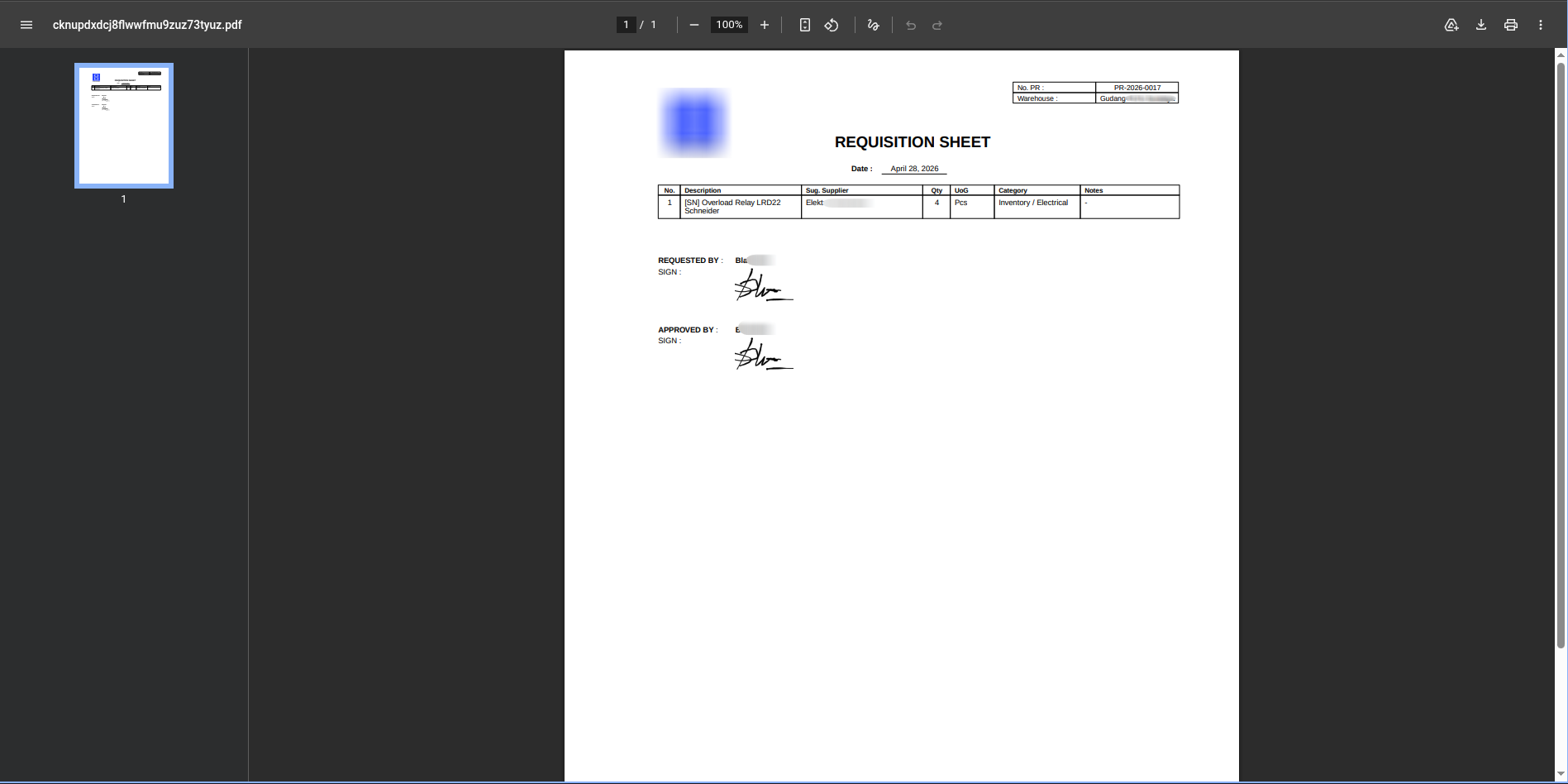
Formatted PDFs are available for work orders, purchase requests, purchase orders, good receipt notes, and asset certificates — ready for supplier submission, client reporting, or internal sign-off workflows.